 Tasks and recording
Claru tasks: types of jobs and how to record
Learn about each type of Claru task, the equipment used, how to record correctly and what causes a submission to be rejected.
Video collection
First person (POV)
Data
Assessment and annotation
Gaming
Gameplay + commands
Panorama
Task types at a glance
Videos
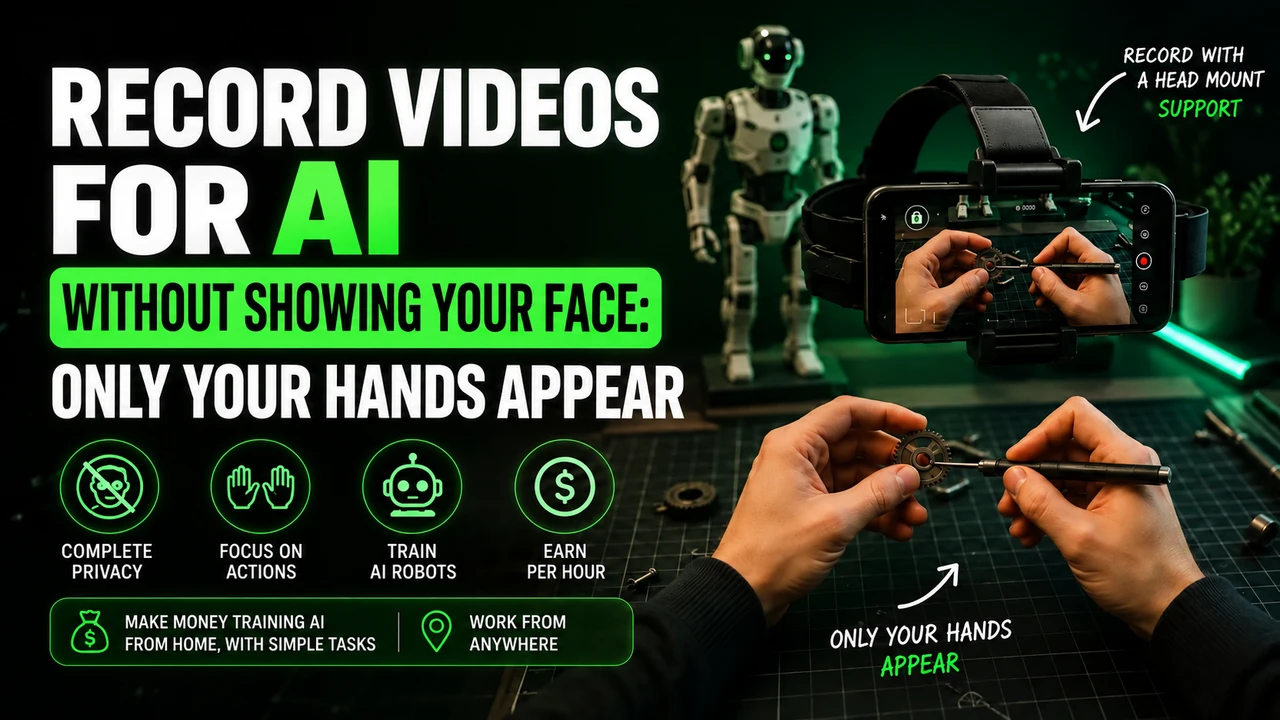
First person recording with cell phone and head strap.
Home
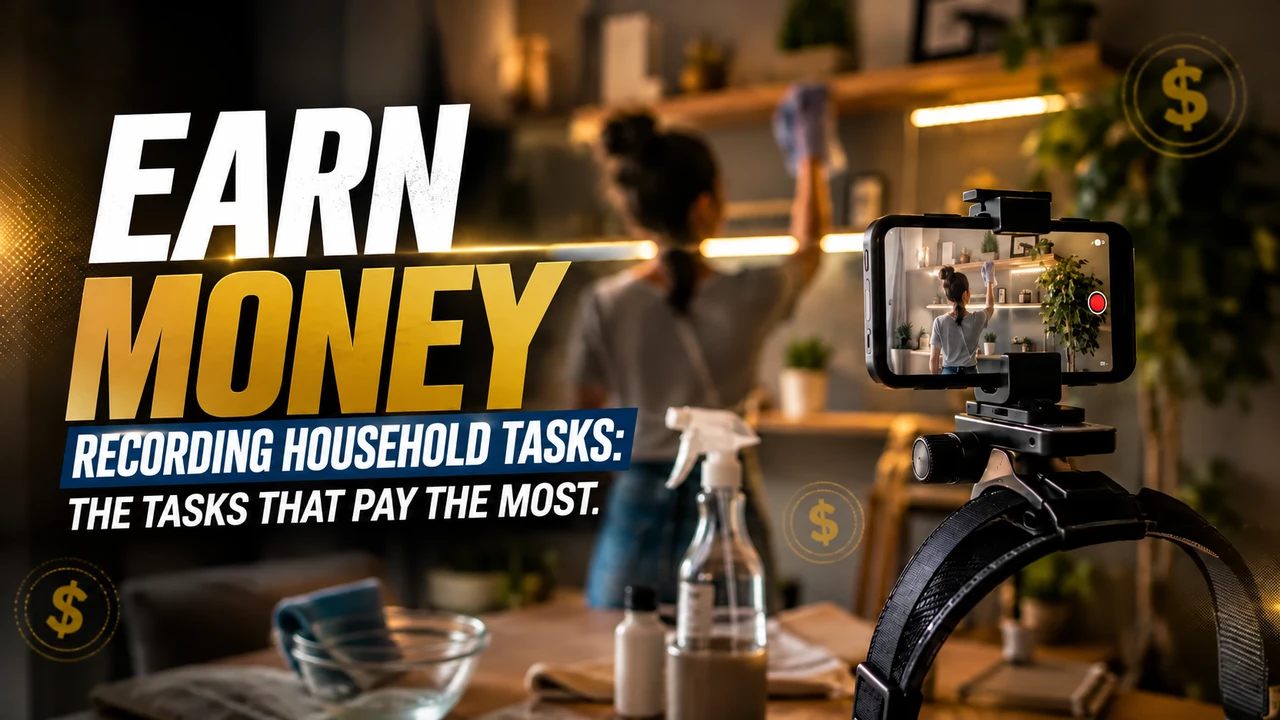
Cleaning, laundry, organization and small repairs.
Kitchen
Food preparation and complete kitchen routine.
Retail
Product handling, replacement and service.
Restaurant
Salon service, dish assembly and professional cooking.
Garden
Gardening, pruning, watering and caring for plants.
Garage
Tools, car maintenance and DIY projects.
Office
Administrative tasks, paperwork and use of equipment.
Warehouse
Separation, packaging, labeling and movement of boxes.
Gaming
Recorded gameplay with command capture.
AI Assessment
Compare and evaluate responses, images and audio generated.
Annotation
Label, classify, and review data for training.
Details
Every task in depth
Household chores
Cleaning, sweeping, washing dishes, washing and folding clothes, making beds, organizing closets and small repairs. It is the most recurring LATAM project and the simplest for beginners.
Kitchen
Cutting, seasoning, cooking, assembling dishes, washing utensils and organizing the countertop. It requires attention to safety and always visible hands.
Retail
Shelf replenishment, labeling, stock checking and product handling. Typically requires authorized commercial environment.
Restaurant
Professional salon and kitchen routine: preparation, assembly, service and cleaning, always with authorization from the establishment.
Garden
Watering, pruning, planting, weeding and using gardening tools, showing full hand movement.
Warehouse and stock
Vehicle maintenance, use of power and hand tools, repairs and workshop projects. LATAM project advertised at US$7/h.
Office
Paperwork, organization of documents, use of printer and equipment, assembly of folders and administrative routines.
Warehouse
Order picking, packaging, labeling, stacking and moving boxes.
Gaming
You play while the software records your screen and keyboard and mouse commands, generating human-like demonstrations of gameplay.
AI Assessment
Compare model responses, point out errors, evaluate images and audio and classify quality according to project criteria.
Data annotation
Label, segment and review data: identify objects, mark excerpts, transcribe and validate labels from other collaborators.
Other opportunities
The platform also publishes vacancies for specialists by domain, quality review and red teaming, according to demand.
Published projects
Values per project
| Project | Payment | Region | Source |
|---|---|---|---|
| Household chores | $6/hr | LATAM (BR, MX, AR, CO, CL, PE) | Official information |
| Warehouse and stock | $7/hr | LATAM (BR, MX, AR, CO, CL, PE) | Official information |
| Gaming | $15–25/hr | Eligible countries (includes Brazil in open projects) | Official information |
| Kitchen | Not officially released. | As per published project | Verified information |
| Retail | Not officially released. | As per published project | Verified information |
| Restaurant | Not officially released. | As per published project | Verified information |
| POV Video (USA/Canada) | $15–30/hr | USA and Canada | Official information |
Technique
How to record correctly
Use the official app
The recording is done by Claru Collector, which synchronizes video and sensors.
Eye height
Fix your cell phone on the head strap to maintain a natural perspective.
Visible hands
The activity and hands must remain on the board throughout the execution.
Enough light
Prefer natural light or a well-lit environment; avoid backlight.
Stable movement
Move your head slowly, without sudden turns that cause blur.
Complete task
Record from start to finish, without cuts and without further editing.
Equipment
Required equipment
- ✓ iPhone compatible with Claru Collector app (published only for iPhone in the App Store)
- ✓ Rear camera with ultra-wide lens, used for first-person perspective
- ✓ Enough free space to record 1080p video for long sessions
- ✓ Availability of the app for Android varies depending on the project
- ✓ Some projects only indicate iPhone; check the vacancy before purchasing equipment
- ✓ When accepted, the device must record 1080p stably
In addition to your cell phone, video projects typically require a head strap and free storage space. Purchase accessories only after confirming the vacancy requirements.
Quality
Errors that cause rejection
Avoid
- ✗Dark environment or with strong backlight
- ✗Shaky camera or sudden movements
- ✗Hands out of frame at key moments
- ✗Task different from that described in the script
- ✗Cuts, edits, speeds up or repeats sections
- ✗Third parties or personal data visible without authorization
How to increase the chance of approval
- ✓Read the full script before recording
- ✓Take a short test and review the result
- ✓Record the entire task, from start to finish
- ✓Respect the duration requested by the project
- ✓Keep the scene organized and safe
- ✓Send it right after recording, via the official app
Updated on 08/26/2026. The final rules are always those of the project roadmap.
FAQ
Questions about the tasks
How to record videos to Claru?
Through the official Claru Collector app, in first person, with the cell phone at eye level, hands and activity visible, following exactly the project script.
Do I need to appear in the video?
In egocentric collections, the focus is on the activity and the hands. Each project defines the required framework and what cannot appear.
Why is a video rejected?
Common reasons: low light, shaky camera, wrong framing, task different from what was requested, cuts, third parties appearing without authorization and duration outside the specified time.
Which tasks pay the most at Claru?
Among published projects, gaming appears in the highest range ($15–25/h), while LATAM home and garage pickups were advertised at $6/h and $7/h.
Transparency: claru.org is our affiliate link. Registration is free and we may receive commission on accepted work, at no cost to you. Ganhe Treinando IA is an independent source, not an official employer or recruiter of Claru.
Deepening
What Claru confirms about real tasks
On the official page for collaborators, Claru presents examples such as walking, dishwashing and kitchen organization, folding clothes, cleaning, garden tasks, manual assembly, sewing and navigating market aisles. This does not mean that they are all open at the same time; These are formats that can appear when a project matches your profile.
| Environment | Capture example | Critical point |
|---|---|---|
| Home | Dishes, laundry, cleaning and organization | One task per clip and framing according to brief |
| Outdoor area | Garden, walk and everyday movement | Avoid unauthorized faces and addresses |
| Bench | Assembly of parts, sewing and manipulation | Hands, tools and action must remain visible |
| Market | Product navigation and selection | Location Permission and Third-Party Privacy |
| Professional | Warehouse, stock or specialized routine | Company authorization and absence of confidential data |
Why Videos Are Rejected
The criteria change, but recurring errors are incorrect framing, different resolution or orientation than requested, hands out of the image, insufficient lighting, interruptions, unauthorized people, an activity other than the approved one, or incomplete submission. Record a short test and compare every detail with the briefing before the main session.
Ready to take on your first assignment?
Register using our referral link and look for open projects in Brazil.
This portal may receive a commission if you register through our link.
Prepare recording for Claru
For head-mounted first-person tasks, free your hands, adjust the headstrap, and film the actual activity until completion. Avoid faces, children, unnecessary body exposure, long pauses and artificial repetition.
If the stream uses Minute, check in the app: iPhone 12 to 17 (except 16e and 17e), Google Pixel 6 to 9, and Samsung Galaxy S21 to S26 (except FE models). Reserve the email intended for this link and obtain the synchronization code in the instructions for your own Claru account.
You can buy the cell phone head mount at Shopee e consult the option of renting a compatible cell phone. Before recording, read the step-by-step recording of Claru, with account, framing and warning about blocks.