Best Phone to Record Videos for AI and Essential Equipment

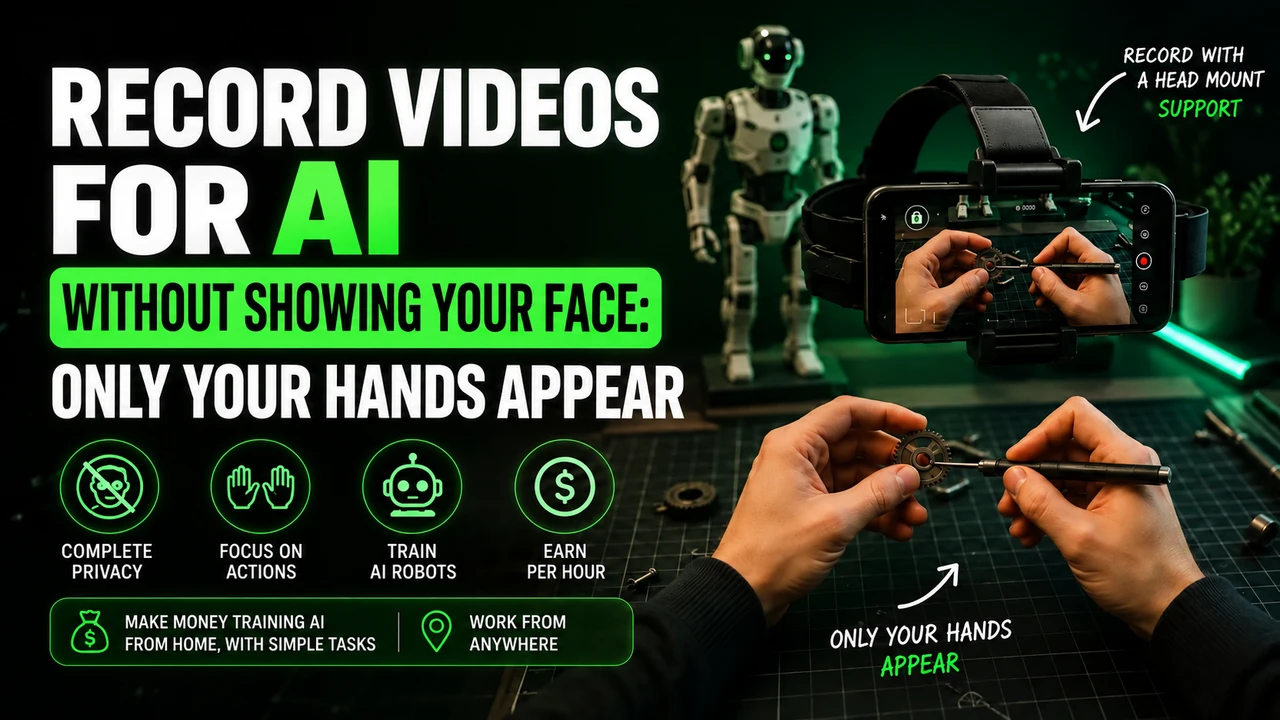
Before recording the first video, the practical question arises: will my cell phone work? Do I need to buy something? The short answer is that most devices from recent years already work, and the only real investment is usually a head strap costing just a few dollars. Many people put off getting started thinking they need professional equipment, when in reality a cell phone sitting in a drawer would do the trick.
This guide complements the main article about recording videos to train AI specifically detailing equipment: what the cell phone needs to have, how to choose the support and what to do if your current device doesn't fit.
The actual requirementsWhat the cell phone needs to have
| Item | Recommended minimum | Why |
|---|---|---|
| Camera | Stable 1080p recording | Shaky or pixelated video is often disapproved |
| Free storage | At least 5 GB available | Long videos in good quality take up space quickly |
| Battery | Good autonomy or portable charger | Long recordings consume a lot of energy |
| Internet | Stable WiFi for shipping | Large video upload hangs on weak connection |
It is worth noting that these requirements are intentionally modest. The platforms don't need 4K video or a three-lens camera — they need enough stability and clarity so that an AI model can accurately identify what your hands are doing. A well-maintained intermediate device perfectly meets this need.
No exaggerationIt doesn't have to be top of the line
Relax: you don't need the latest release
Most mid-range cell phones launched in the last 3 to 4 years already record in sufficient quality. What really matters is image stability and good light in the environment — not top-of-the-line camera resolution. Always check the compatibility list within the platform app before purchasing any accessory.
The most common mistake made by those just starting out is thinking they need to invest in expensive equipment before testing. In practice, the cell phone you already use on a daily basis is probably already fine — the most reliable test is to simply record a short sample video and check the quality before investing in any accessory.
The question that always appearsAndroid or iPhone: what changes
No system is superior for this specific purpose — what changes is application compatibility by platform. Claru, for example, publishes the collection app just for iPhone; Hub Data and Mimix AI accept both systems without relevant restrictions. Before deciding which device to use, it's worth checking directly on the website of each platform you intend to test.
If you already have both Android and iPhone available at home (yours and someone else in your family, for example), the most flexible strategy is to simply use whichever one has the best camera and leave the choice of platform in the background — since most accept both systems anyway.
A practical point that usually weighs in the decision: recent mid-range Android models (a popular price range in Brazil) already record in 1080p with reasonable stabilization, which easily meets the requirements of most platforms. There is no need to migrate systems just to start recording — use what you already have and evaluate the change only if you really face compatibility limitations with a specific platform that you want to prioritize.
Summarizing the decision criteria: don't choose a device based on the operating system, choose the platform you intend to use first. Confirm compatibility on the official website, and only then decide whether it's worth changing your device or sticking with what you already have on hand.
The only item really worth buyinghead strap: how to choose
There are basically two types: adjustable elastic band (cheaper and universal) and rigid support with specific fit (more stable, generally a little more expensive). For those just starting out, the elastic band is already a good solution — the important thing is that it holds the cell phone steady, without wobbling during movement.
When choosing, check three things before purchasing: that the mount fits the size of your specific phone (larger phones may not fit on generic mounts), that the band material is washable (you'll sweat using this regularly), and that reviews from other buyers mention long-term durability — very cheap models sometimes lose elastic tension after a few weeks of frequent use.
Technical details on how to record correctly with the stand, including the ideal angle, are in the guide record video without showing your face.
If your device does not respondDon't have a good cell phone? Can you rent
Don't have a suitable cell phone? Is there an alternative
If your current device doesn't meet the requirements, buying a new one outright may not be worth it just for this purpose. Renting an iPhone for a monthly subscription solves this without compromising the card's limit — you use it for as long as you need and return it later.
This option usually makes sense for those who want to get serious, without compromising their budget with a cash purchase. The monthly fee is based on what you will earn from recording, and at the end of the period you decide whether you want to continue, change the device or return it.
It's worth doing the math before deciding: if you plan to record regularly for a few months, comparing the total rental cost during that period with the price of a used device in good condition helps you visualize which option is more worthwhile for your specific case. For those who are still testing whether they will continue with this type of work, renting reduces the financial risk of a larger commitment.
Details that make a differenceStorage, battery and internet
Long videos in good quality take up space quickly — free up at least a few gigabytes before a longer recording session. For the battery, a simple portable charger prevents the cell phone from turning off in the middle of a longer task. And when uploading videos, always choose stable Wi-Fi — a weak mobile connection can slow down the upload of larger files.
A simple practice that avoids headaches: before starting a recording session, quickly check the three items — free space, battery level and active Wi-Fi connection. It takes less than a minute and avoids losing an entire recording due to lack of space in the middle of the task, which is one of the most common frustrations reported by those starting this type of work for the first time.
The cell phone you already have will probably work. The only item actually worth buying is the head strap.
Before giving upCommon problems and how to solve them
Some technical issues frequently appear among those just starting out, and most have a simple solution:
- Cell phone heats up during long recordings: remove the protective cover during the session and prefer recordings of up to 20-30 minutes at a time
- Upload hangs or fails: confirm that you are on Wi-Fi (not mobile data) and that there is enough free storage space
- head strap Slides: adjust the tension of the elastic band or exchange for a model with a firmer lock
- Video comes out dark even with apparently good light: avoid backlight (window behind you); prefer light coming from the front or from above
If a problem persists even after trying these solutions, it's worth seeking out platform support directly — sometimes the problem is specific to compatibility between your device model and the application version, and the support team can provide better guidance than any generic solution. Don't hesitate to ask — these teams deal with these types of technical questions all the time and are usually quick to respond.
Practical summaryComplete kit: what to have before you start
Putting together everything we've covered so far, this is the final checklist before your first real recording:
- Cell phone capable of recording 1080p stably
- Adjusted and tested head strap
- At least 5 GB of free storage
- Portable charger for longer sessions
- Stable Wi-Fi for uploading videos
At the end of the day, equipment should never really be the barrier that stops you from truly getting started. Test with what you already have, adjust as practical experience shows necessary, and only invest more when you are sure you will continue recording regularly.
Still in doubt?FAQ
Do I need an iPhone specifically?
Not necessarily. Several platforms support both iPhone and Android, as long as the device records stable video in good resolution. Some, like Claru, have the collection app published only for the iPhone — it's worth checking first.
Does my cell phone from 3 years ago still work?
Probably yes, as long as you record at 1080p stably. The limiting factor is usually more that the camera freezes in low light than the age of the device itself.
Is it worth buying a cell phone just for this?
It generally doesn't pay to buy in cash just for this purpose. Renting on a subscription basis or using the device you already have is usually more financially reasonable.
How much does a head strap cost?
Simple and functional models cost very little on popular marketplaces like Shopee. There is no need to invest in professional filming equipment.
Do I need a tripod or stabilizer too?
No. The head strap already solves the stabilization necessary for this type of first-person recording. Extra professional filming equipment is unnecessary here.
What should I do if my cell phone gets too hot while recording?
Remove the protective cover during the recording session and prefer to divide it into blocks of 20 to 30 minutes instead of a single very long session. This reduces heating and prevents the device from turning off on its own for safety reasons.
Keep learning about recording