Voice, video and photo via cell phone
Crowtado: how it works, how much you pay and how to receive it in Brazil
The platform pays employees to record voice clips, first-person videos and photos with their cell phones. Up to US$40 per hour, withdrawal from US$10 and interface in Brazilian Portuguese.
Last updated: 08/27/2026
Summary
The Crowtado numbers
Each data below comes with the confidence level of the information.
Payment disclosed
Up to $40 per hour
The platform itself states that contributors are paid up to $40 per hour, with the rate for each task displayed in the briefing before you begin.
Voice tasks
$18 to $40 per hour
Officially published range for voice tasks (reading sentences, short conversations and descriptions), varying according to the brief and the rarity of the language or dialect.
Minimum withdrawal
$10 balance
The withdrawal can be requested as soon as the approved balance reaches US$10, according to the platform's official page.
Payment in Brazil
PIX, Mercado Pago, PayPal and Wise
The platform lists PIX, PayPal, Wise, Mercado Pago and seven other local means as available payment options.
Countries
42+ countries with active contributors
Registration is open globally; The availability of briefings and payment methods varies by country and appears in each task.
Community
100 thousand+ active collaborators
Number published on the platform's public panel, along with US$ 140 thousand paid to the community during the week and a 4.8/5 rating from collaborators.
Indication
$10 per friend who completes $50
Referral program officially announced on the platform's homepage.
Languages
15 languages, including Brazilian Portuguese
The interface is native in English, Spanish, Brazilian Portuguese, French, German, Hindi, Bengali, Urdu, Indonesian, Tagalog, Swahili, Arabic, Hebrew, Chinese and Japanese.
Average payment time
About 21 hours after approval
Metric displayed in the platform’s public “field notes” panel, with recurring payment windows.
Identity Verification
Information not publicly available. We recommend checking directly after registering.
The official registration requires a telephone number, email address and payment method. We did not find an official publication on the requirement for an identity document.
The company
Who is behind the platform
What is
Data collection platform in which employees record voice, video and photos using their cell phones
Who buys the data
AI labs and research organizations that train and evaluate frontier models
Revenue Model
Laboratories license the data collected; the platform takes care of briefings, quality review, payments and support
Modalities
Voice, video (POV) and photo
Cost to enter
None: no resume, no interview and no initial cost
Use of recordings
Licensed for model training, not used for advertising; material that identifies you requires explicit consent in the briefing
Corporate name, headquarters and CNPJ
Information not publicly available. We recommend checking directly after registering.
Reviews on Reclame Aqui / Trustpilot
The platform informs that external reviews are published on the trust page as they accumulate. Information not publicly available. We recommend checking directly after registering.
Step by step
How it works, from registration to withdrawal
- 01
Registration in 90 seconds
Telephone, email and payment method. No CV, no interview and no initial cost.
- 02
Choose the job
Open the day's briefings—voice, POV video, or photos—and see how much each person pays before they start.
- 03
Record and send
Follow the briefing, correct what the app points out (low, dark, short) and send the contribution.
- 04
Review in hours
Reviewers check the material in hours, not days, and the approved amount goes into the balance.
- 05
Request withdrawal
With a balance of US$10 you can now request a withdrawal using the chosen payment method.
Work
What the community records today
Reading sentences (scripts)
Read short sentences aloud following the briefing script.
$18 to $40 per hour
Conversational pairs
Natural dialogue between two people, at the pace of a real conversation.
$18 to $40 per hour
Dialect coverage
Speech samples in less represented dialects and regional variations.
Higher Bands: Difficult Dialects Pay More
Vocal performance and emotion
Samples of emotion, vocal acting, whispered phrases and singing.
As per the briefing
First person video (POV)
Short clips of everyday environments and movements recorded with a cell phone camera, used to train robotics and vision models.
Value per clip/hour informed in the briefing
Photos by briefing
Take photos that correspond exactly to the brief request (facades, objects, everyday scenes).
Paid per image, with premium rates in difficult categories
Ambience and background sound
Capture of ambient noise and everyday sounds requested in the briefing.
As per the briefing
Analysis
Advantages and points of attention
✅ Advantages
- Withdrawal released from US$ 10 balance
- PIX and Mercado Pago between payment methods
- Three modes: voice, POV video and photos
- Official range of $18 to $40/hr for voice tasks
- Interface and briefings in Brazilian Portuguese
- Fast, free registration without an interview
- Review of material in hours and average payment in around 21h
⚠️ Points of attention
- Only approved material generates payment
- Availability of briefings varies by country and day
- High values appear in rare dialects and tasks, not in all
- Voice tasks require a truly quiet environment
- Company name, headquarters and CNPJ are not published
- External reviews (Reclame Aqui/Trustpilot) still scarce
Trust
Credibility checklist
✅ Pay rate displayed in the briefing before you start
✅ Payment policy published in the terms of service
✅ Withdraw from US$10, no entry fee
✅ Data usage explained: licensing for AI labs, no advertising
✅ Explicit consent required for material that identifies you
⚠️ Company name, headquarters and unpublished corporate data
⚠️ Public history of independent reviews still small
Never pay anything to start working on data collection platforms and be wary of promises of guaranteed income.
Numbers
In summary
Payment
Up to $40/hour
Minimum withdrawal
$10 balance
Receiving
PIX and Mercado Pago
FAQ
Crowtado Frequently Asked Questions
Is Crowtado reliable?
The platform says it pays contributors for AI training data and publishes its payment policy in the terms of service, with the rate for each task visible before it begins. On the other hand, the company name, headquarters and history of independent evaluations are not clearly published — treat it as extra income and start with few tasks.
How much does Crowtado pay per hour?
Officially, employees are paid up to $40 per hour. Voice duties pay $18 to $40 per hour, depending on the brief; photo assignments are paid per image.
What is the minimum withdrawal amount?
$10 approved balance. The withdrawal can be requested from this amount using the chosen payment method.
Does it work in Brazil?
Yes. The platform has a native interface in Brazilian Portuguese and mentions PIX and Mercado Pago among its payment methods, with active collaborators in more than 42 countries.
Do I need to have experience?
No. The platform states that no experience is necessary: registration takes about 90 seconds, no CV, no interview and no initial cost.
What happens to my recordings?
According to the platform, the recordings are licensed to AI labs and research organizations to train models, are not used for advertising, and material that identifies you requires explicit consent in the briefing.
Get started on Crowtado today
Free registration in a few minutes, short tasks via cell phone and withdrawal from a balance of US$10.
This article may contain affiliate links. When you register through our link, we may receive a commission at no additional cost to you.
How to record in first person for Crowtado
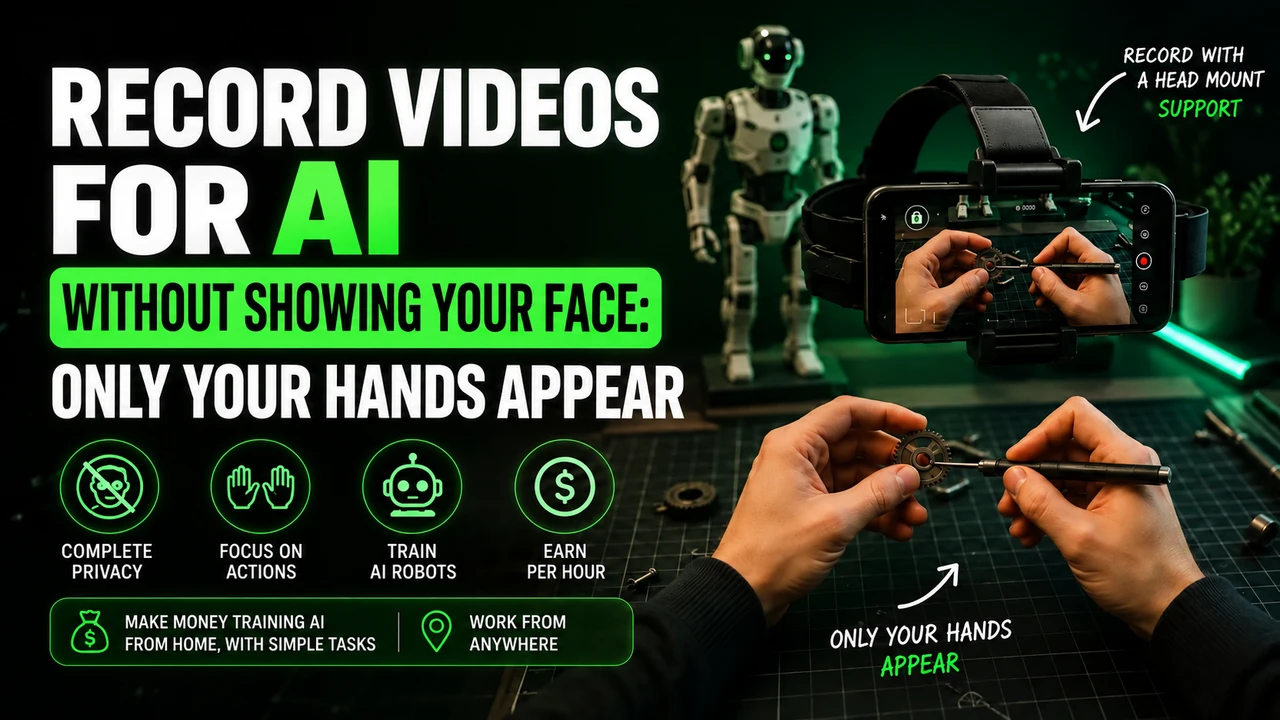
On Crowtado, open the POV video task first. POV means point of view: you record as if the camera were in your eyes, showing your hands and the objects they move. This type of data can support the learning of physical actions by artificial intelligence and humanoid robots. The exact purpose must appear in Crowtado design.
head strap: adjust before recording
For Crowtado's POV task that requires a camera on the head, use a headband with a suitable fit for your cell phone. Adjust the camera to follow the work of the hands. Do not film your body from afar and do not place the device on the counter to simulate first person. An improvised fixing can slip, harm the image and not meet the required framing.
To prepare this framework, you can buy the cell phone head mount at Shopee. Check if the fit holds your phone model and allows you to direct the lens into your hands. It is an affiliate link for the portal; The advertisement does not represent an endorsement of the accessory by Crowtado.
Which cell phone to use on Crowtado?
If Crowtado POV project uses Minute, this is a reference of devices to check in the application; is not a universal list published by Crowtado for voice, photo and video:
iPhone 12 to 17 (except 16e and 17e), Google Pixel 6 to 9 and Samsung Galaxy S21 to S26 (except FE models). You can also check your device directly in Minute app. Having a good resolution camera alone does not prove compatibility.
Before spending on equipment, check if your participation is approved. If you need, you can consult the option of renting a compatible cell phone. Confirm the complete model: the iPhone 16e/17e and Galaxy FE versions are outside the list recommended for Minute.
Account and application when working with Crowtado
The consulted public presentation of Crowtado does not confirm Minute as a mandatory application. Use the application indicated in the task. If there is a referral to Minute, reserve an email for this participation — preferably Gmail, per organization — and keep the same address in the records when the integration requests it. Do not reuse a Minute bond from another platform without guidance from Crowtado.
When requested by the project, Minute Data is used to select activity, record, send and track sessions. Install via the official integration link. Read the instructions displayed before capturing and check if the sending has finished; Leaving the video on the device does not mean it has arrived for analysis.
The invitation code synchronizes
If Crowtado task asks for an invite code on Minute, look for the sync code in the instructions for your own Crowtado account. Do not use codes published by third parties. If there is no Minute integration in the project, do not create this step yourself: follow the submission indicated in the panel.
How to do the task without looking like a robot
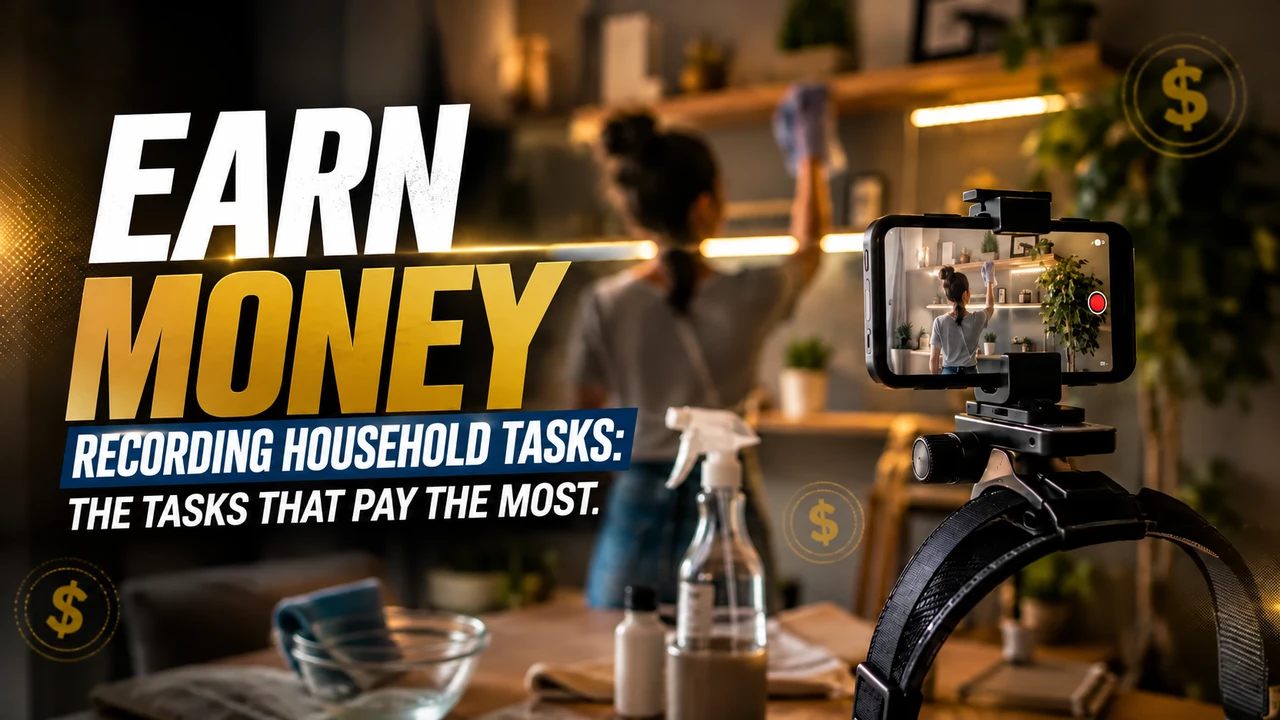
If Crowtado's POV task asks you to prepare a food, organize the ingredients, complete the steps, and show completion. Respect the duration stated in that order. Don't automatically apply instructions from a voice or photography task to this video: these are different types of work within Crowtado.
Work at your normal pace. Don't keep your arms outstretched all the time just to show your hands; adjust the camera angle. Avoid filming stopped without activity, purposeful slowness and endless actions. The repetition that is part of the job, like washing different dishes, is different from repeating the same gesture unnecessarily.
Alert: beware of rejections and account blocks on Crowtado
Before pressing record: follow the rules of the task and application indicated. A video rejection and an account block are different situations.
- Don't record sitting down in domestic tasks while standing. Only do a seated task if the specific instructions clearly authorize it.
- Do not artificially lengthen the video. Avoid long waits, staged tasks and repeated movements without progress.
- Don't force a robot posture. Move your hands and arms naturally while performing the activity.
- Keep children out of the recording. Do not capture the faces of adults or children; Also check out mirrors, photographs and screens around.
- Wear appropriate clothing for the activity. Keep the focus on your hands and objects, avoiding exposing your torso, neck or other parts of your body unnecessarily. Hands and forearms are part of the frame of the action; follow the task if it asks for another detail.
- Do not improvise the camera position. Use the required head mount and check light, clarity, battery and headroom.
- Do not submit a task other than the one chosen. Check the recording instructions and destination before you begin.
These precautions guide the preparation of the video. The suspension conditions are those of Crowtado design and the application used; There is no basis for assigning a single ban policy to all projects.
The Minute no longer lets you record: what to do?
Check the displayed message, update the application and check the device and connection. For Minute, the reference is iPhone 12 to 17 (except 16e and 17e), Google Pixel 6 to 9 and Samsung Galaxy S21 to S26 (except FE models). If the device is not supported, test access on a supported model as per design guidance.
If there is suspension, record the message and ask the support indicated by Crowtado for analysis. Deleting the account and opening another one with a different email is not a guaranteed solution to a ban. Only recreate the account if support advises you and the rules allow it. Exclusive email to link a project should not be confused with authorization to bypass a suspension.
Last conference for Crowtado
To complete a Crowtado POV task, check the format, requested time, and submission app. Record contribution confirmation in the dashboard. Don't confuse submission with material approval, and don't apply voice assignment values to your video.
Check again: iPhone 12 to 17 (except 16e and 17e), Google Pixel 6 to 9 and Samsung Galaxy S21 to S26 (except FE models), when the stream uses Minute. Validate the model in the app before purchasing or renting.
Reference consulted on 09/10/2026: Crowtado: information about operation and projects. The use of Minute and the list of devices are conditional on the project; the public source does not present them as a universal requirement.