 Tasks and recording
Mimix AI Tasks: What to Record and How to Record
Discover all Mimix AI task categories and the technical recording standard that makes your time approved and paid at US$5.00.
Catalog
Detailed task types
Domestic
Cleaning, washing dishes, folding laundry, organizing and tidying the house.
Kitchen
Food preparation, cuts, use of utensils and dishes.
Retail
Shelf restocking, product handling and service.
Restaurant
Salon service, dish assembly and kitchen routine.
Garden
Watering, pruning, planting and caring for plants and the yard.
Garage and DIY
Tools, repairs, maintenance and manual projects.
Pets
Feed, brush, walk and care for animals at home.
Office
Paperwork, typing, use of equipment and organization.
Warehouse
Separation, packaging, labeling and movement of boxes.
Gaming
Game sessions recorded according to the project script.
Mobility
Routines for traveling, driving and using vehicles.
Technical work
Workshops, light works and manual professional activities.
Each project defines which categories are open and the exact recording script.
Technical guide
How to record correctly
Framework
Camera at eye level, hands and objects always within the scene.
Duration
Respect the minimum script time and record the complete task.
Quality
Record in 1080p or higher, without digital zoom and without filters.
Lighting
Clear environment; avoid backlighting and dark scenes.
Audio
Environment without excessive noise when the project calls for sound.
Privacy
Avoid documents, screens with data and third parties without consent.
Equipment
What you need to have
Cell phone
iPhone or Android with a camera capable of recording 1080p stably.
Support
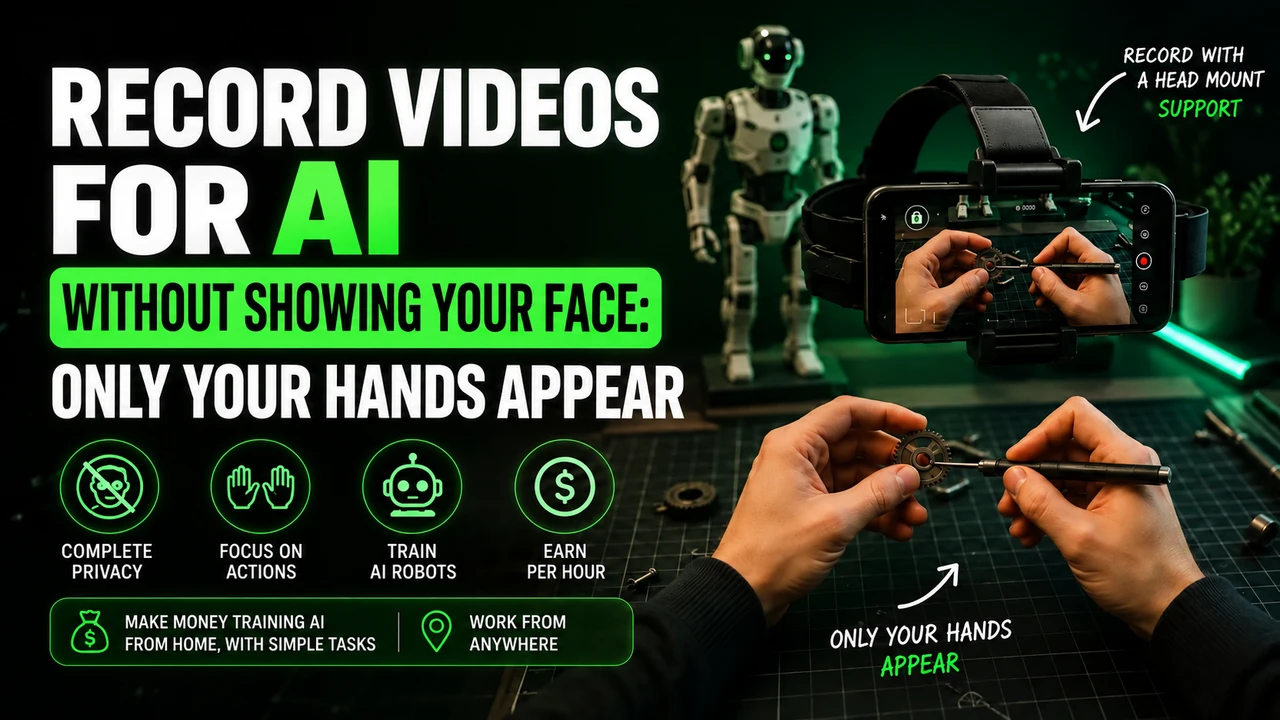
Head, chest, or neck support for first-person perspective.
Battery
Charger or power bank: long recordings consume a lot of battery.
Storage
Enough free space for videos before uploading.
Internet
Stable Wi-Fi to sync files via the app.
Lighting
Natural light or additional lamp to avoid dark scenes.
Attention
Errors that cause rejection and approval tips
⚠️ Mistakes that disapprove
- − Video is shaky, dark or out of focus
- − Wrong framing: hands or objects outside the scene
- − Duration shorter than the minimum requested in the itinerary
- − Task different from that described in the project
- − Cuts, pauses or edits in the middle of recording
- − Third party personal data appearing without consent
✅ Approval tips
- + Read the entire script before you start recording
- + Record in a well-lit environment, preferably natural light
- + Use head or chest support to keep the camera steady
- + Keep your hands visible in the scene at all times
- + Do the complete task, from start to finish, without cuts
- + Check the video before sending and re-record if in doubt
Questions
Tasks and recording FAQ
What type of video does Mimix AI ask for?
Self-centered, first-person videos showing you performing an everyday task from start to finish, with your hands visible in the shot.
How long should each recording last?
The minimum and maximum duration is defined by the roadmap for each project. Payment is calculated per approved hour of video, adding up valid recordings.
Do I need to show my face?
In first-person recording, the camera points straight ahead, so normally the face does not appear. Always follow the project script.
Why might a video be rejected?
The most common reasons are shaky or dark video, wrong framing, duration below the minimum, task different from the one requested and cuts in the middle of the recording.
Can I use any cell phone?
You need an iPhone or Android capable of recording stable video in good quality, with free storage space and enough battery for the session.
I want to start at Mimix AI
Free registration, cell phone recording with Minute Data app and payment of US$5.00 per approved hour.
The registration button is an affiliate link. We may receive a commission at no additional cost to you.
Prepare recording for MIMIX
For head-mounted first-person tasks, free your hands, adjust the headstrap, and film the actual activity until completion. Avoid faces, children, unnecessary body exposure, long pauses and artificial repetition.
If the stream uses Minute, check in the app: iPhone 12 to 17 (except 16e and 17e), Google Pixel 6 to 9, and Samsung Galaxy S21 to S26 (except FE models). Reserve the email intended for this link and obtain the synchronization code in the instructions for your own MIMIX account.
You can buy the cell phone head mount at Shopee e consult the option of renting a compatible cell phone. Before recording, read the step-by-step recording of MIMIX, with account, framing and warning about account blocks.