Brazilian platform
Cell phones compatible with Flambra and head strap
Before purchasing support or renting a phone, check the full name of the device. The Flambra list is its own and may change; a cell phone accepted on another platform may not be available here.
By Daniel Olímpio · Updated 9/10/2026
This guide contains a referral link. The portal may receive a commission or benefit if you participate by invitation, at no additional cost to you.
Which cell phones does Flambra accept?
In the consultation on 09/10/2026, the configuration guide displayed the following combinations. Check your account list before spending on equipment.
| Manufacturer | Models listed |
|---|---|
| Apple | iPhone 12, 13, 14, 15, 16 and 17: standard, Pro and Pro Max versions of each generation. |
| Samsung | Galaxy S21, S22, S23, S24 and S25: standard, + and Ultra versions of each generation. |
Not on the list were: Google Pixel, Galaxy S26, FE and Edge versions, Galaxy A/M/Z lines, iPhone Mini, Plus, 16e and 17e. Don't assume compatibility because you belong to the same family.
How to find out your phone name
Open Settings
Look for the area that shows device information.
Write down the complete model
Register number and name complement, such as Pro Max, + or Ultra.
Compare with Flambra
Use the list displayed to guide your participation.
Confirm before investing
If there is a difference in the name or incompatibility message, ask for guidance.
An ad might just highlight “iPhone” or “Galaxy,” but those names include many devices. When renting or purchasing, ask for full model identification. Memory, battery status, and free space also affect the usage experience, even when the phone is in the list.
How to choose head strap
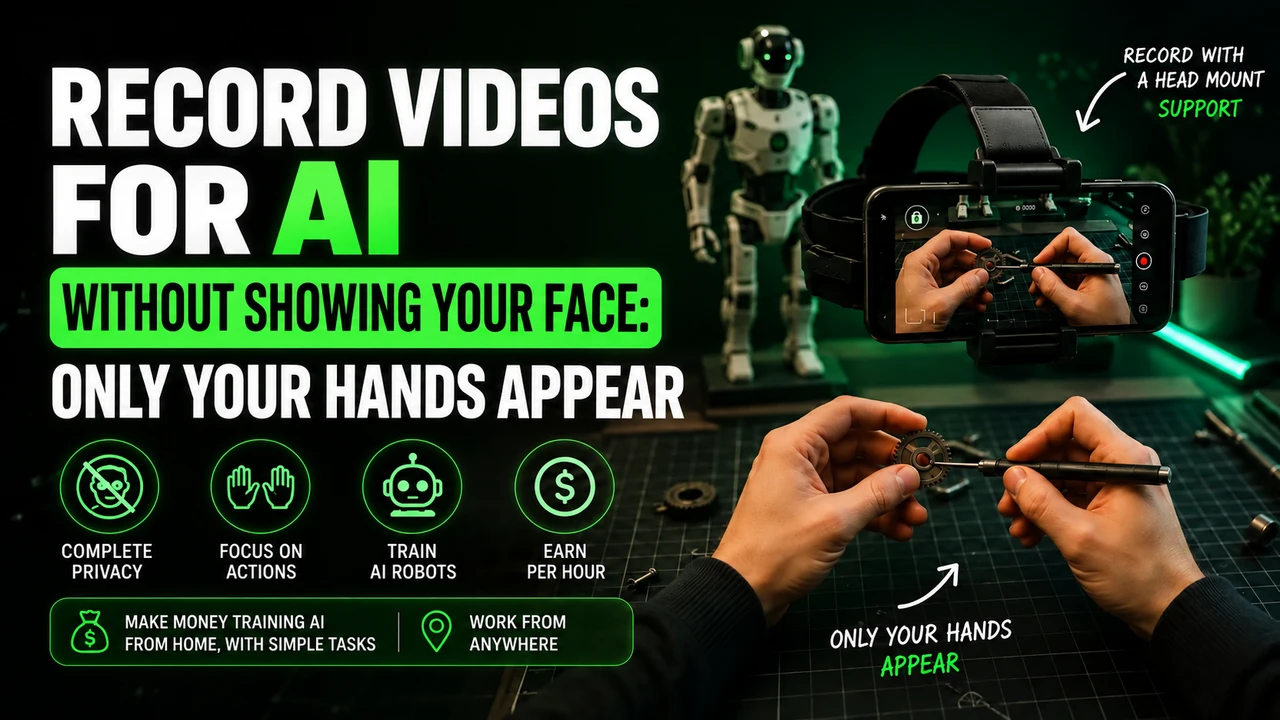
The headstrap must keep the cell phone steady, with the lens unobstructed and the position adjustable. It needs to follow the movement of your head without requiring you to hold the device. An uncomfortable or slipping support can get in the way of a simple activity.
- Check the size and weight of the device accepted by the fitting.
- See if the phone case interferes with the fixation.
- Test the fit and angle with the camera before a session.
- Keep your hands free and task objects visible.
- Discontinue if equipment becomes unstable.
A support option on Shopee It is a purchase link indicated by the portal. Accessory compatibility must be checked in the advertisement; is not a seal of approval from Flambra.
Is it worth renting a cell phone to record?
Renting can be an alternative for those who do not have a compatible device, but it must be included in the costs. First confirm your participation and the task. Then compare price, deadline, delivery conditions and the model provided.
For example, if a hypothetical equipment cost was $100 and your rate was $25 per approved hour, it would take four approved hours just to cover that amount. Internet and other expenses would still be left out. The example helps to compare, it does not estimate how much you will be able to produce.
Consult the cell phone rental page to learn about the option available on the portal. Do not close a contract based on a number of hours that have not yet been approved.
A practice test before a long session
With an authorized task, check that the phone remains steady when looking around and reaching for an object. Observe light, clarity, battery and space to complete the activity. Only perform tests allowed by your account flow.
If the lens becomes covered by hair, clothing, or part of the housing, correct the position. If your phone heats up, crashes, or stops recording, don't continue accumulating sessions without checking the problem. Seek guidance and record the message that appears.
When everything is ready, follow the Flambra recording guide. If the account has not yet been set up, return to registration and first steps.
Learn more about Flambra
FAQ
Is Google Pixel released on Flambra?
It did not appear on the list consulted on 09/10/2026. Check to see if your account has been updated.
Will Galaxy FE work?
The list consulted did not include FE versions. The full model name must match what Flambra supports.
Can I rent a device?
You can evaluate this option after confirming model, participation and costs. Renting does not guarantee approval.
Information verified on 09/10/2026 from the screens provided to the portal, the public presentation and the participation guidelines. Meeting times and payments were informed by the community. Check the current status of your account.
Start your participation in Flambra
Open the registration using our invitation. Check the task and compatibility before investing in equipment.
Referral and purchase links can generate commission for the portal, at no additional cost to you.