 Employee registration
Mimix AI registration: create your account and start recording
Registration is free, takes just a few minutes and gives you access to recording projects that pay US$5.00 per approved hour.
Step by step
How to register with Mimix AI
- 01
Open registration
Click on the registration button to open the official contributor page.
- 02
Account details
Enter your full name, email and create a password with at least 8 characters.
- 03
Accept the terms
Mark acceptance of the terms of collaboration and privacy notice.
- 04
Check email
Confirm the code sent to your email to validate the account.
- 05
Complete the profile
Enter the country, language and cell phone you will use for the recordings.
- 06
Install the app
Install Minute Data and log in to sync with Mimix AI.
Prerequisites
What to have on hand before you start
iPhone or Android cell phone capable of recording stable video
Minimum age according to the platform terms
Eligible country in the chosen project (Brazil included)
Email verified account and full profile
Pix key or wallet compatible with USDT
Follow the recording script to have the time approved
Use an email that you can easily access: verification and project notifications arrive there.
After registration
What happens next
Qualification
The platform verifies your profile and releases compatible projects.
First recording
You receive the script and record the task via Minute Data.
First payment
The approved hours generate a dollar balance for withdrawal.
Questions
Registration FAQ
Is registration at Mimix AI free?
Yes. Creating a collaborator account is free and takes about 5 minutes, divided into simple steps of data, email and profile verification.
What data is requested when registering?
Full name, email, password and acceptance of the collaboration terms and privacy notice. Then you complete the profile with country, language and cell phone.
Can I resume a registration that I have not completed?
Yes. Using the same email and password, you can resume registration from the stage where you left off.
Do I need a Pix account before registering?
It is not mandatory to create the account, but it is recommended to open Pix before completing the first few hours, because it is used to receive payments in dollars.
How long after registration do tasks appear?
It depends on the projects open for your country at the moment. After qualifying, you receive the script and can start recording.
I want to start at Mimix AI
Free registration, cell phone recording with Minute Data app and payment of US$5.00 per approved hour.
The registration button is an affiliate link. We may receive a commission at no additional cost to you.
Prepare recording for MIMIX
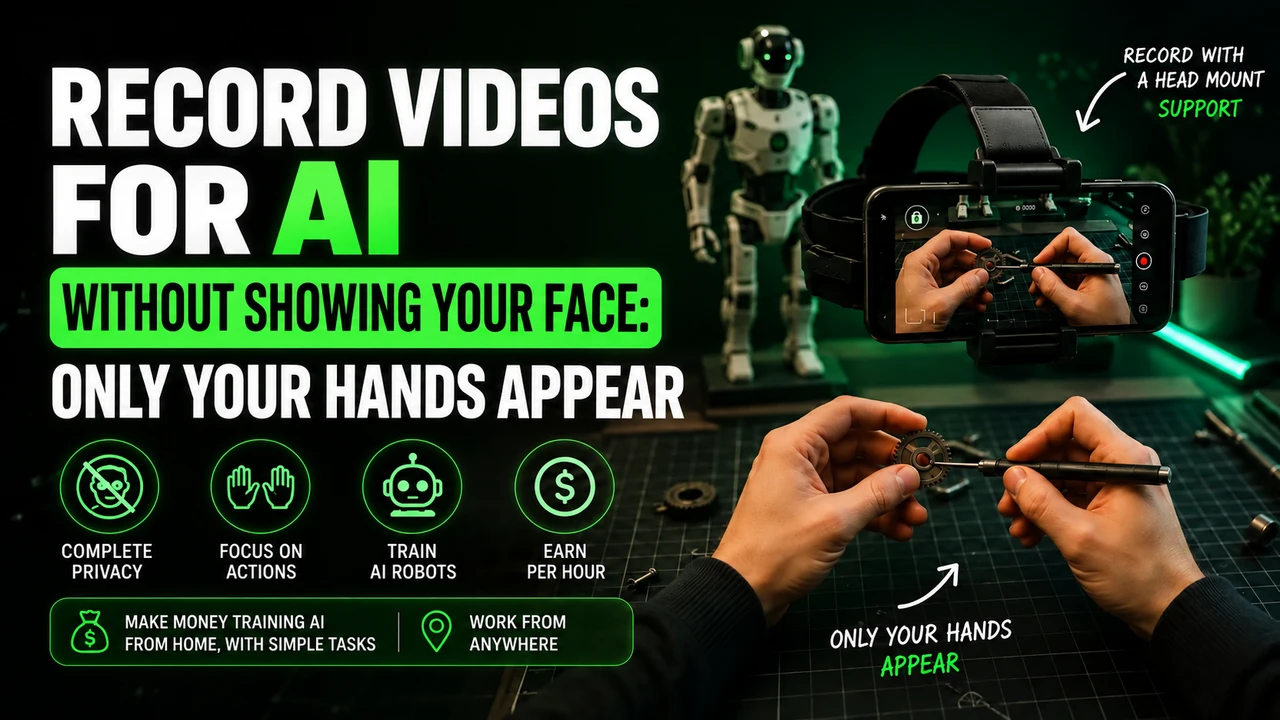
For head-mounted first-person tasks, free your hands, adjust the headstrap, and film the actual activity until completion. Avoid faces, children, unnecessary body exposure, long pauses and artificial repetition.
If the stream uses Minute, check in the app: iPhone 12 to 17 (except 16e and 17e), Google Pixel 6 to 9, and Samsung Galaxy S21 to S26 (except FE models). Reserve the email intended for this link and obtain the synchronization code in the instructions for your own MIMIX account.
You can buy the cell phone head mount at Shopee e consult the option of renting a compatible cell phone. Before recording, read the step-by-step recording of MIMIX, with account, framing and warning about account blocks.