 Guide for Brazilians
Hub Data in Brazil: Does it work?
Real availability in Brazil, required level of English, receipt in PIX, income tax and the first steps to start today.
Brazil accepted
Yes, country active on the network
Receiving
PIX and transfer
English
Basic help, task is visual
Base pay
$5.00 / approved hour
Availability
Is Brazil accepted at Hub Data?
Active country
The Hub reports 150,000+ contributors and 730+ partner companies in 150 countries. Brazil appears in communication and local journalistic coverage.
Task volume
Number of campaigns open to Brazilians: Information not publicly available. We recommend checking directly after registering.
Local payment
PIX and bank transfer are on the official withdrawal panel — a big advantage compared to platforms that only pay via international wallet.
This article may contain affiliate links. When you register through our link, we may receive a commission at no additional cost to you.
Language
Do you need to speak English?
What requires English
- • Read parts of the platform and some campaign scripts
- • Understand terms of use and support messages
What does not require English
- • The recording itself: you perform the task in silence
- • Framing, lighting and sending the file
- • Receipt by PIX
Practical tip: use the browser translator on the platform and read the translated script before recording.
Receiving
How to receive payment in Brazil, step by step
- 01
Verify identity
Send ID, CNH or document accepted in your name.
- 02
Register the PIX key
Use CPF, email or telephone number linked to you.
- 03
Accumulate approved hours
Only the time approved in the check generates a balance.
- 04
Request withdrawal
PIX or bank transfer via the wallet area.
If the platform offers payment in crypto (USDC has been announced as a plan), evaluate conversion costs before choosing this option.
Balance
Advantages and challenges for Brazilians
Advantages
- Payment in PIX, without needing an international wallet
- Public base rate of $5.00 per hour approved
- Simple, day-to-day tasks, without technical experience
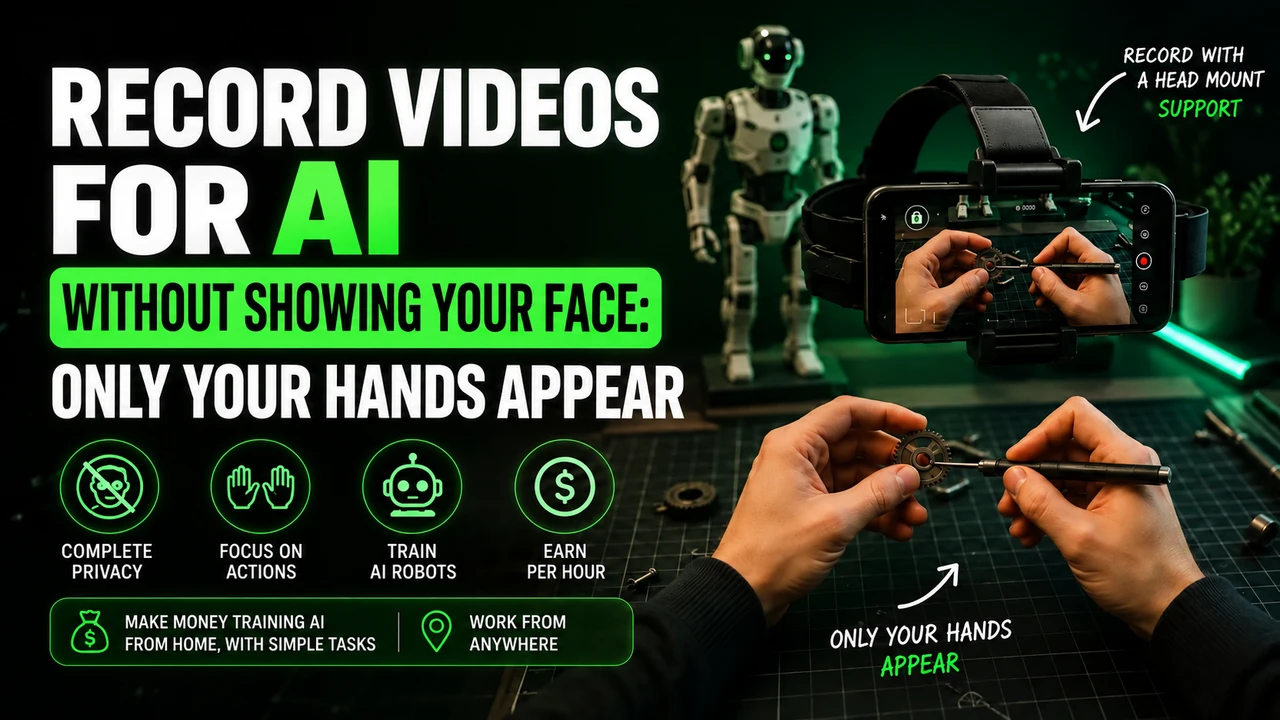
- You don't need to appear: just your hands enter the frame
- Company identified, based in the USA and supported by accelerator
- Two-tier referral program
Challenges
- Only approved time generates payment: bad video is rejected
- Campaign availability varies week to week
- Need to purchase or receive a head strap
- Not all cell phones are accepted
- Minimum withdrawal amount is not clearly published
- No guarantee of fixed income or volume of tasks
Stories
What Brazilians are reporting
Local reporting in Cabreúva (SP)
Regional portal tested the platform, mentions payments of around R$25 to R$30 per hour for approved activities and residents accumulating more than R$300 in earnings.
Extra income and crypto coverage
Vehicles such as Livecoins described payment in PIX of up to R$20 per hour recorded, with a referral bonus at two levels.
Blogs that tested in practice
Brazilian extra income blogs report that payments have actually dropped and that the balance grows as hours are approved.
Individual reports are not a guarantee of results. Many videos and groups about Hub Data are made by affiliates and exaggerate earnings promises.
Get started
First steps for Brazilians
- 01
Create account
Free registration on Hub Data platform with email and basic data.
- 02
Verify identity
Sending a document (RG, CNH or equivalent) to validate the account.
- 03
Check cell phone
Confirm that your device is compatible with the required recording.
- 04
Assemble the setup
head strap with the cell phone pointed at the hands.
- 05
Save the task
Follow the campaign script and record from start to finish, without cuts.
- 06
Send and wait
Upload via the app/panel and check the quality of the material.
- 07
Receive
Approved hours become a balance and withdrawals are made via PIX or transfer.
Tax
Income Tax and Obligations
Earnings from data collection platforms are income and may be taxable in Brazil.
Keep receipts and the panel statement.
For larger volumes, talk to an accountant about carnê-leão, MEI or annual declaration.
This portal is editorial and does not provide tax advice.
FAQ
Questions from Brazilians about Hub Data
Does Hub Data work in Brazil?
Yes. Hub declares an active network in 150 countries, the panel lists PIX and bank transfer as withdrawals, and Brazilian vehicles tested the platform in practice with residents recording tasks and receiving payment.
How many tasks are there for Brazilians?
The exact number of campaigns open for Brazil is not published and changes week by week. Information not publicly available: the real check is within the panel after registration.
Do you need to speak English?
Part of the platform and instructions appear in English. Basic English, or the browser's translator, solves the problem in most cases, because the task is practical and visual.
How do Brazilians receive the money?
By PIX or bank transfer, depending on the options on the official withdrawal panel, with processing by a local payment partner mentioned in Brazilian reports (Noxpay).
Is there a group of Brazilians from Hub Data?
WhatsApp and Telegram groups created by affiliates circulate, but we did not locate an official group maintained by the company. Be wary of groups that charge to join.
Is it worth it for Brazilians?
It makes sense as extra income: the approved hourly rate is competitive for simple tasks and the payment is in PIX, without an international card. It doesn't make sense as a fixed income, because it depends on open campaigns and approval.
Get started at Hub Data in Brazil
Free registration, recording via cell phone and receipt in PIX to your account.
This article may contain affiliate links. When you register through our link, we may receive a commission at no additional cost to you.
Prepare recording for Hub Data
For head-mounted first-person tasks, free your hands, adjust the headstrap, and film the actual activity until completion. Avoid faces, children, unnecessary body exposure, long pauses and artificial repetition.
If the stream uses Minute, check in the app: iPhone 12 to 17 (except 16e and 17e), Google Pixel 6 to 9, and Samsung Galaxy S21 to S26 (except FE models). Reserve the email intended for this link and obtain the synchronization code in the instructions for your own Hub Data account.
You can buy the cell phone head mount at Shopee e consult the option of renting a compatible cell phone. Before recording, read the Hub Data recording step by step, with account, framing and warning about blocks.