Is Hub Data Reliable? How it works, registration and payment in Brazil
"Is this a scam?" is the first thing any suspicious person asks when they hear about recording videos to make money. It's a fair question — and the answer, at least in the case of Hub Data, is simpler than it seems, with concrete data to support the conclusion.
This article is part of the set of guides for complete guide on recording videos to train AI and looks specifically at Hub Data: who the company is, what the terms say and what Brazilians are reporting in practice.
No messing aroundDirect answer
Direct answer
Yes, Hub Data pays. It is an identified company, headquartered in the United States and with an office in São Paulo, supported by well-known investors in the technology market. Reports from Brazilians confirm real withdrawals via PIX. The point of attention is not default — it is to understand exactly what the terms of use say about the use of your video before accepting.
Behind the appWho is the company behind
| Information | Detail | Source |
|---|---|---|
| Company name | Hub Data, Inc. | Official source |
| Headquarters | United States (San Francisco Bay Area) | Official source |
| Office in Brazil | São Paulo | Verified in report |
| Investors | Includes known acceleration support in Silicon Valley | Verified in report |
| recording app | Minute (not "Hub Data" — see section below) | Verified in report |
| Payment in Brazil | PIX | Official source |
Hub Data positions itself as a data infrastructure company for AI — it doesn't build robots, it sells the raw data (video) that robotics labs use to train their own models. Her business directly depends on achieving recording volume and quality, which explains why she invested in having a local operation in Brazil, instead of only operating remotely from the United States as many competitors do.
This detail of local operations usually weighs heavily in the assessment of trust: companies that set up a physical structure in a country — renting an office, hiring a local team, supporting in Portuguese — normally have a medium-term commitment to that market, unlike operations that exist only on a website without any verifiable physical presence.
Before searching the app storeThe name that confuses everyone
The detail that stops a lot of people at first
Anyone looking for "Hub Data" in the app store doesn't find anything — because the app is called Minute. Use the same email to link your Hub Data account to Minute; check your destination and balance on the Hub panel. The name "Hub Data" is how the service became popularly known in Brazil, but the application you install has another name in the store.
How to evaluateSigns that it's serious (and what to watch out for)
Signs that it is serious
- Identified company, with physical office in Brazil
- Real payment by PIX confirmed in multiple reports
- Free registration, no entry fee
- App officially published in app stores
- Public and accessible terms of use
Points of attention
- Video sent becomes the property of the company
- Can be licensed or resold to third parties
- Task availability fluctuates per week
- There is no guarantee of fixed income or volume
- Many affiliate videos exaggerate earnings promises
Quick step by stepWhat does registration look like in practice?
The process reported by those who have already tested it follows a simple logic: you create the account on the official website, order the starter kit (headband and support, generally free of charge for those who are accepted), install Minute application and link it to your account using an organization code provided on the website itself. Without this code, the application opens normally, but does not release the task list — it is the most common error reported by those who crash at the beginning.
Once linked, the recording follows a specific technical pattern: cell phone lying horizontally, attached to the forehead, tilted downwards, with you standing up. Video recorded sitting down or with the cell phone held vertically is usually rejected straight away — it's worth adjusting this before the first attempt to avoid wasting time.
How to differentiateHub Data vs real scam: the difference that matters
For those who are still on the fence, it's worth comparing the typical signs of a scam with what Hub Data actually presents:
Typical sign of a scam
- Request advance payment to "release" earnings
- Promises fixed and guaranteed income every month
- There is no official verifiable website, only a WhatsApp group
- Company without address or corporate identification
What Hub Data presents
- 100% free registration, no payment required
- Does not promise a fixed amount — depends on approval
- Official website, app published in verifiable store
- Identified company, with physical office
Before accepting the termsWhat to check before starting
You don't need to be a lawyer to read the important points in the terms of use. Focus on three questions: who owns the video after you upload it, whether it can be resold to third parties, and how to ask for the material to be deleted if you change your mind. If the platform does not answer these three questions clearly on its website, this is already a sign of attention — serious companies usually make this information easy to find, precisely because they have nothing to hide about how they use the material you send.
We detail specific techniques on how to protect your privacy while recording — framing, what to take out of the scene, how to deal with other people in the home — in the guide record video without showing your face.
Outside the marketing bubbleWhat Brazilians are reporting
Posts on Brazilian social networks show a common pattern: initial skepticism ("it's too easy to be true"), followed by personal testing, followed by confirmation that the payment actually went down. This cycle is repeated in several independent reports, which is a positive sign — scams tend to generate mass reporting after the first cycle of victims, not repeated confirmation of payment.
A pattern that appears frequently: the person discovers the platform through a short video on a social network, reads dozens of comments divided between those who confirm and those who doubt, decides to test it with a single small recording "to see if it really works", and only after confirming the first payment does it start recording more regularly. It's a healthy validation cycle — exactly what any cautious person should do before investing real time in a new platform.
This does not mean high income expectations. Treat it as what it is: variable extra income, conditioned on quality approval, without a guarantee of a constant volume of tasks. Brazilian local reports that tested the platform directly reach the same conclusion: the payment is real, but the expectation needs to be calibrated as a supplement to income, not a substitute for permanent employment.
A still recent operationIt's worth remembering: it's a new company
Hub Data is a relatively young operation, with only a few years of existence. This has two sides. On the positive side, the rapid expansion into Brazil and the investment in a local office suggest that the company is truly growing, and is not a shell operation. On the cautious side, a short history means less time to evaluate long-term patterns — how the company behaves in times of crisis, change in payment policy, or eventual closure of operations in a specific region.
The practical recommendation is simple: participate, but without depending financially on it in the short term. Treat the first month as a trial period, monitor whether payments continue to fall on time, and only then consider dedicating more time to the platform.
The warning sign is not the company not paying. It's confusing extra variable income with the promise of guaranteed income.
In the end, Hub Data passes the basic trust test that any platform should pass: identifiable company, public terms, payment confirmed by real people. This doesn't eliminate the need for common sense — read the terms, protect your privacy, start slowly — but it puts Hub Data in a very different category from the empty promises out there.
How to record first person for Hub Data
At Hub Data, you use Minute to record everyday tasks in first person. Think of the camera as a pair of eyes: it follows what you're doing and shows your hands in contact with objects. These records can help artificial intelligence and robotics systems learn human actions, including tasks useful for humanoid robots.
head strap: adjust before recording
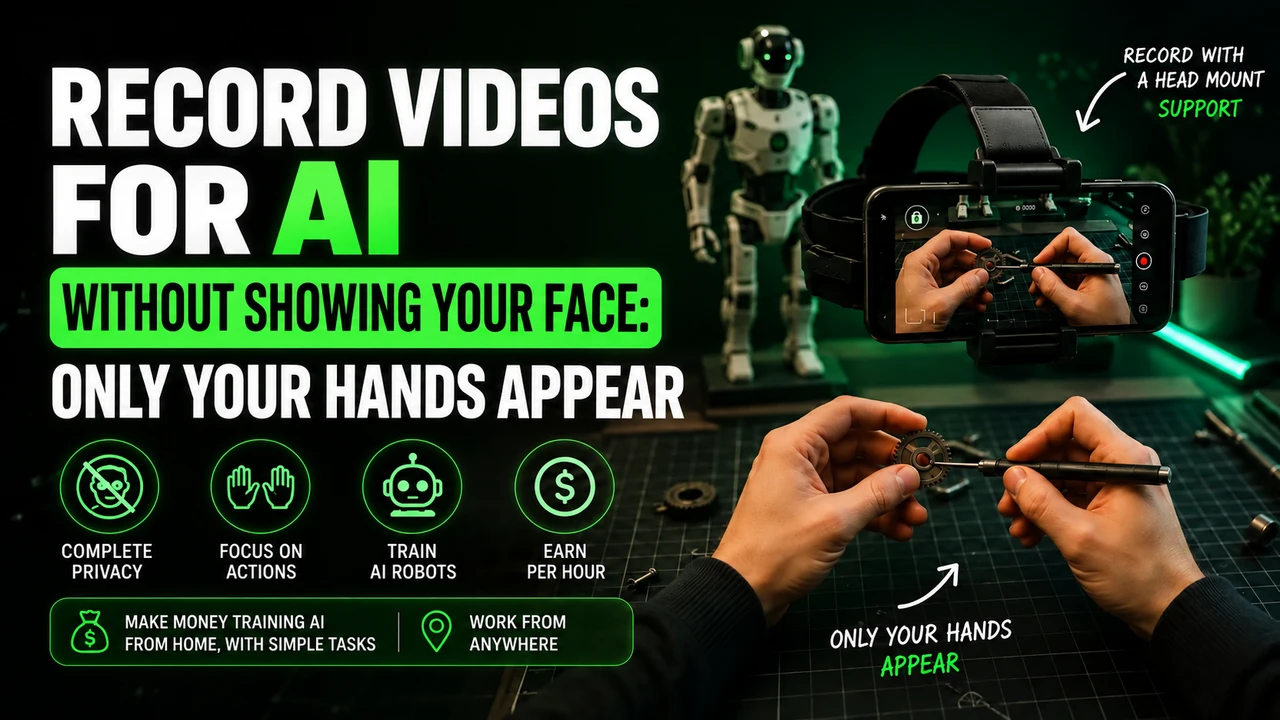
The Hub Data recording flow uses a cell phone on the forehead with a headband and support, the headstrap. Adjust the position before you start, with the phone horizontal and the lens aimed at the task. Don't improvise by leaving your cell phone on a shelf or asking someone to film you. Keep your hands free to work and test whether the device remains steady when you move.
To prepare this framework, you can buy the cell phone head mount at Shopee. Check if the fit holds your phone model and allows you to direct the lens into your hands. It is an affiliate link for the portal; The advertisement does not represent an endorsement of the accessory by Hub Data.
Hub Data also announces a Starter Kit. Check your account for availability before purchasing a separate support.
Which cell phone to use on Hub Data?
The Hub Data configuration page reports the following cell phones for Minute:
iPhone 12 to 17 (except 16e and 17e), Google Pixel 6 to 9 and Samsung Galaxy S21 to S26 (except FE models). You can also check your device directly in Minute app. Having a good resolution camera alone does not prove compatibility.
Before spending on equipment, check if your participation is approved. If you need, you can consult the option of renting a compatible cell phone. Confirm the complete model: the iPhone 16e/17e and Galaxy FE versions are outside the list recommended for Minute.
Account and application when working with Hub Data
Reserve an email for your work at Hub Data and use the same address when creating Minute account linked to the Hub. Gmail is an organization suggestion, not a confirmed requirement. Keep this account dedicated to Hub Data; do not use the same Minute link to send hours to two platforms. If another link already exists, ask for guidance before registering or changing accounts.
The Minute Data is used to select activity, record, send and track sessions. Install via the official integration link. Read the instructions displayed before capturing and check if the sending has finished; Leaving the video on the device does not mean it has arrived for analysis.
The invitation code synchronizes
The invitation or organization field in Minute is used to synchronize your participation. Get the code from your own Hub Data account integration instructions; if necessary, consult the official channel indicated there. Do not copy other people's account codes. Check the selected organization before the first video: having installed the app does not mean that the synchronization is finished.
How to do the task without looking like a robot
In a dish recording for Hub Data, show the work happening: taking a piece, washing it, rinsing it and putting it on the drainer. Follow the chosen category and complete the service. Avoid rubbing an already clean item or leaving the camera on while you wait, doing nothing.
Work at your normal pace. Don't keep your arms outstretched all the time just to show your hands; adjust the camera angle. Avoid filming stopped without activity, purposeful slowness and endless actions. The repetition that is part of the job, like washing different dishes, is different from repeating the same gesture unnecessarily.
Alert: be careful with rejections and account blocks on Hub Data
Before pressing record: follow the rules of the task and application indicated. A video rejection and an account block are different situations.
- Don't record sitting down in domestic tasks while standing. Only do a seated task if the specific instructions clearly authorize it.
- Do not artificially lengthen the video. Avoid long waits, staged tasks and repeated movements without progress.
- Don't force a robot posture. Move your hands and arms naturally while performing the activity.
- Keep children out of the recording. Do not capture the faces of adults or children; Also check out mirrors, photographs and screens around.
- Wear appropriate clothing for the activity. Keep the focus on your hands and objects, avoiding exposing your torso, neck or other parts of your body unnecessarily. Hands and forearms are part of the frame of the action; follow the task if it asks for another detail.
- Do not improvise the camera position. Use the required head mount and check light, clarity, battery and headroom.
- Do not submit a task other than the one chosen. Check the recording instructions and destination before you begin.
These precautions guide the preparation of the video. The suspension conditions are those of Hub Data design and the application used; There is no basis for assigning a single ban policy to all projects.
The Minute no longer lets you record: what to do?
Check the displayed message, update the application and check the device and connection. For Minute, the reference is iPhone 12 to 17 (except 16e and 17e), Google Pixel 6 to 9 and Samsung Galaxy S21 to S26 (except FE models). If the device is not supported, test access on a supported model as per design guidance.
If there is suspension, record the message and ask the support indicated by Hub Data for analysis. Deleting the account and opening another one with a different email is not a guaranteed solution to a ban. Only recreate the account if support advises you and the rules allow it. Exclusive email to link a project should not be confused with authorization to bypass a suspension.
Last conference for Hub Data
In Hub Data flow, first check that the account is linked to the correct organization. Then check the device, the task and the framework. When finished, follow the synchronization and analysis; Submitted time and approved time are different steps.
Check again: iPhone 12 to 17 (except 16e and 17e), Google Pixel 6 to 9 and Samsung Galaxy S21 to S26 (except FE models), when the stream uses Minute. Validate the model in the app before purchasing or renting.
Reference consulted on 09/10/2026: Hub Data: information about operation and projects. The account, capture, and device guidance above considers this flow.
Still in doubt?FAQ
Is Hub Data really reliable?
It is an identified company, with an office in Brazil and payment history confirmed by PIX in reports from Brazilian users. Like any data collection platform, it is worth reading the terms of use carefully before accepting, but there is no sign of a scam in the business model itself.
Why is the app called Minute and not Hub Data?
Minute is the official name of the recording app in the app stores. "Hub Data" is how the company and the service became popularly known in Brazil. The Minute performs the capture; check the linking, balance and payment on your Hub Data account.
Do I need to pay anything to start?
No. Registration is free, and the company usually sends a starter kit (headband and support) at no cost to anyone on the waiting list. Never pay anything to release tasks or speed up approval.
How long does it take to approve the registration?
Reports indicate relatively quick release after basic verification, but the exact time is not officially published and may vary depending on current demand.
What happens to my videos once they're uploaded?
Under the terms, they become the property of the company, which can license or resell the material to AI and robotics laboratories. Therefore, the recommendation is to avoid recording documents, password screens or people who have not authorized to appear.
Why doesn't my video load the organization code?
Get the organization code from your own Hub account onboarding instructions and enter it into Minute. Without it, the application opens normally, but the task list is not released — check if the code was entered exactly as it appears on the website.
Keep learning about recording